
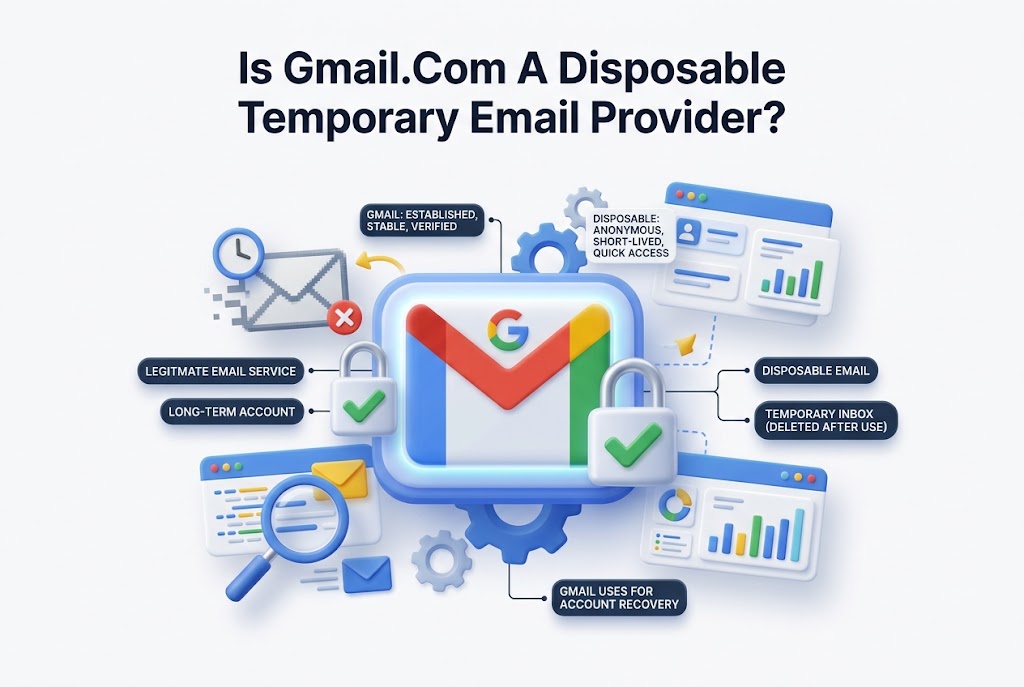
Email addresses are often requested before people can download a file, join a webinar, claim a discount, or try a new service. That creates a common privacy concern: should you use a regular inbox, a throwaway address, or a temporary email service? The question “is gmail.com disposable temporary email provider” appears frequently because Gmail is free, widely accepted, and easy to create.
Gmail can help separate personal messages from sign-ups, but it is not a true disposable email provider. A Gmail account is designed to be long-lasting, secure, and connected to Google services. Temporary email platforms work differently: they create short-lived inboxes intended for quick verification or low-risk use. Knowing the difference helps you protect privacy without losing access to important accounts.
What Gmail.com Is Designed To Do
Gmail is Google’s permanent email service. When you create a Gmail address, it remains active until you choose to delete the account or Google closes it under its policies. The inbox can store messages for years, support password recovery, and connect with services such as Google Drive, Calendar, YouTube, and Google Photos.
That design makes Gmail suitable for personal communication, work accounts, subscriptions, banking alerts, and services you may need to access later. It is built around identity, account recovery, security checks, and long-term message storage. Those features are useful, but they do not match the normal purpose of a disposable email inbox.
Why Gmail Is Not a Temporary Email Provider
A temporary email provider usually gives users a random address that works for minutes, hours, or a limited number of days. The mailbox may disappear automatically, and it normally requires no registration. Its main purpose is receiving a quick confirmation message without exposing a primary email address.
Gmail requires account creation, accepts ongoing communication, and retains messages unless the user deletes them. It also asks users to follow account policies and may request verification information in certain situations. Therefore, the direct answer to is gmail.com disposable temporary email provider is no: Gmail is a standard, persistent email service.
Key Differences Between Gmail and Temporary Email Services
Gmail offers a stable address that can be used across many websites and applications. You can organize messages with labels, search old conversations, enable two-factor authentication, and recover access after forgetting a password. These capabilities make it reliable for accounts with lasting value.
Disposable email services focus on speed and limited exposure. They are often used for one-time downloads, trial registrations, or websites that do not need personal details. However, the same short lifespan that supports privacy can become a problem if a service later sends a login link, receipt, password reset, or security notice.
Gmail Features That Make It a Long-Term Inbox
Gmail is tied to a Google Account, which gives it a broader role than receiving email. Users can manage account security, save contacts, synchronize devices, and use one sign-in for multiple Google products. A disposable mailbox generally has none of these account-management features.
Google also provides spam filtering, phishing warnings, storage management, and security notifications. These protections are especially important for valuable accounts. If you use email for financial services, client communication, healthcare portals, or school records, a stable and protected inbox is a far safer choice than a temporary address.
Important Facts About Gmail and Disposable Addresses
- Gmail addresses are intended to remain active for long-term communication.
- Disposable inboxes often expire automatically after a short period.
- Gmail supports password recovery, while many temporary addresses do not.
- Important account confirmations should not be sent to an expiring inbox.
- Some websites block known temporary email domains during registration.
- A separate Gmail address can offer privacy without sacrificing account access.
When a Separate Gmail Account Makes Sense
Creating a secondary Gmail account can be a practical middle ground. It is useful when you want to keep newsletters, promotional offers, online shopping updates, or hobby-related registrations away from your main personal inbox. The address remains accessible if you later need an order confirmation or password reset.
For example, someone who frequently tests software tools may use a dedicated Gmail account for product trials and industry mailing lists. This reduces clutter in the primary inbox while preserving reliable access. You can also set up filters and labels so incoming messages are automatically categorized.
Using Gmail Aliases for Better Inbox Control
Gmail supports plus addressing, which lets you add text after the plus sign in your username. If your address is alex@gmail.com, you can use alex+offers@gmail.com or alex+trials@gmail.com on compatible websites. Messages still arrive in the same Gmail inbox.
This method does not create separate Gmail accounts, but it can help identify where messages came from. You can create filters for each alias and automatically label or archive them. For more practical organization methods, see [Internal Link: Gmail Inbox Management Tips].
Privacy Limits of Gmail Plus Addressing
Plus addressing is useful for organization, but it is not a privacy shield. Many websites remove the added text and recognize the base Gmail address. Others do not accept plus signs in email forms. It also does not prevent a company from sending marketing messages to your underlying inbox.
A separate Gmail account offers stronger separation because it has a different address, mailbox, and account profile. For services that need ongoing access but are not important enough for your main inbox, that option is usually more dependable than a temporary email address.
Choosing the Right Email Option for Each Situation
The best option depends on how important the account may become. If you expect to return to a service, receive invoices, manage a subscription, or reset a password later, use a real email address. Gmail is appropriate because it provides reliable long-term access and account security tools.
A disposable service may be appropriate for low-risk, one-time situations where no lasting account is involved. Even then, use caution. Temporary inboxes can be public or predictable, and messages may not be private. Never use them for sensitive documents, personal data, payment information, or confidential correspondence.
Email Choice Comparison
Use Case | Best Email Choice | Reason
Personal banking or payment account | Primary Gmail account | Requires long-term security and recovery
Online shopping account | Primary or secondary Gmail account | Receipts, delivery updates, and returns may arrive later
Newsletters and promotions | Secondary Gmail account | Keeps marketing messages separate but accessible
Short-lived product trial | Secondary Gmail or disposable email | Choice depends on whether future access may matter
One-time public download | Disposable email when low risk | Limits exposure to marketing messages
Work or client communication | Professional permanent email | Supports credibility, record keeping, and security
Risks of Relying on a Disposable Inbox
The main risk is losing access when you need it most. A website may send a verification code after the temporary inbox has expired. If you later forget your password, there may be no way to recover the account. This can be frustrating when a trial becomes useful or a purchase requires support.
Privacy is another concern. Not every temporary mail provider handles data the same way. Some inboxes are accessible without strong authentication, and others may reuse addresses. Sending sensitive details to these addresses can expose information that would be safer in a secured Gmail account.
Website Restrictions on Temporary Email Domains
Many websites identify and reject well-known disposable email domains. They do this to reduce fake accounts, abuse, automated sign-ups, and promotion fraud. As a result, a temporary address may fail during registration, especially on financial, business, education, or membership platforms.
Gmail is widely recognized and rarely blocked for this reason. A secondary Gmail account can therefore provide a more reliable registration option while still protecting your main inbox from unnecessary marketing. It also helps you maintain access if the website becomes relevant later.
How To Keep a Secondary Gmail Account Organized
Use a clear purpose for your secondary account, such as shopping, newsletters, software trials, or public registrations. Avoid mixing it with important personal communication. A focused purpose makes the inbox easier to review and helps you decide which messages deserve attention.
Set up filters for recurring senders and send promotional messages to labels automatically. Review the inbox periodically, unsubscribe from unwanted mailing lists, and enable two-factor authentication. A neglected secondary account can still become a security risk if it is connected to many services.
Practical Tips for Protecting Email Privacy
- Use a separate Gmail address for newsletters, giveaways, and low-priority registrations.
- Turn on two-factor authentication for every Gmail account you keep.
- Check a website’s reputation before providing any email address.
- Unsubscribe from unwanted messages instead of leaving sensitive accounts unmanaged.
- Avoid using temporary inboxes for passwords, receipts, legal notices, or personal records.
- Review connected accounts regularly and close services you no longer use.
Gmail Security Features Worth Using
Gmail includes several tools that improve account protection. Security alerts can notify you about unusual sign-ins, while two-factor authentication adds a second verification step. Recovery email addresses and phone numbers can help restore access if a password is lost or an account is compromised.
You should also review third-party access in your Google Account settings. Some apps and websites request permission to access account information during sign-in. Removing old or unnecessary connections reduces exposure. For related steps, see [Internal Link: Online Account Security Checklist].
How to Decide Before Entering an Email Address
Before submitting an address, consider whether you may need the account again after today. Think about possible receipts, shipping updates, renewal notices, password resets, or support requests. If any of those are likely, choose a Gmail address that you can access and protect.
Also consider the sensitivity of the information involved. A disposable email address may be enough for a basic public download, but it is not suitable for services that store personal information. The more valuable the account, the more important it is to use a secure, permanent inbox.
Conclusion
Gmail and temporary email services can both reduce inbox clutter, but they serve different purposes. Gmail is a dependable long-term service with security controls, storage, recovery options, and integration with other Google products. A disposable inbox is intended for short-term, low-risk situations where future access is unlikely to matter.
For most people, a secondary Gmail account is the smarter privacy option for newsletters, trial accounts, shopping promotions, and general online sign-ups. It keeps your main inbox cleaner without leaving you unable to retrieve essential messages later. When deciding is gmail.com disposable temporary email provider, remember that Gmail is permanent by design, while temporary email services are built to disappear.
FAQ
Can Gmail be used like a temporary email address?
Gmail can be used for low-priority sign-ups, especially through a secondary account or plus aliases. However, it remains a permanent inbox, so it does not provide the automatic expiration associated with true temporary email services.
Is a separate Gmail account safer than disposable email?
For accounts you may need again, a separate Gmail account is generally safer. It supports strong passwords, two-factor authentication, recovery options, and private access, unlike many disposable inboxes that can expire or offer limited protection.
Do Gmail plus aliases create new email addresses?
Gmail plus aliases deliver messages to the same underlying inbox. They help with filtering and tracking registrations, but they do not create separate accounts or fully hide your original Gmail username from websites.
Why do websites reject temporary email addresses?
Websites often reject temporary email domains to prevent fake registrations, spam, fraud, and repeated trial abuse. They may require a more stable address to support account verification, customer communication, password recovery, and security monitoring.
Should I use disposable email for online shopping?
Disposable email is not recommended for online shopping because receipts, shipping notices, return instructions, and support messages may arrive later. Use a secondary Gmail account if you want separation from your primary inbox while retaining access.
0 Comments